

Video Meeting English: 30 Phrases for Zoom & Teams (2026) | 視訊會議英文
Last quarter, a Taipei product manager I work with froze on her first Zoom call with a Boston client — not because her English was weak, but because nobody had ever taught her what to say when her microphone cut out for the third time. Video meeting English is its own dialect, sitting somewhere between phone English and in-person meeting English, with a layer of tech vocabulary on top. The 30 phrases below are the ones Taiwan professionals actually need on Zoom, Teams, and Google Meet — opening, troubleshooting, taking the floor, sharing your screen, and closing the call without that awkward “okay, bye, bye, bye” loop.

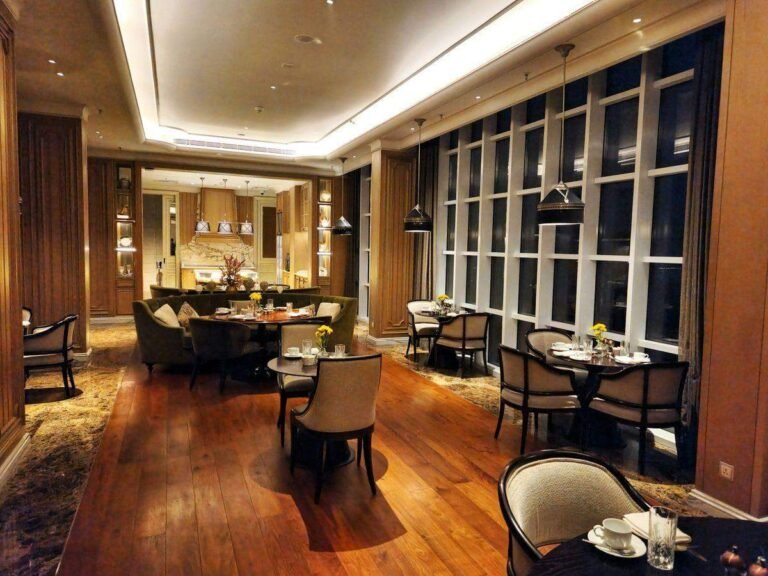
A typical Taipei morning Zoom — and your first chance to sound like you belong on the call.
Why Video Meeting English Sounds Different from Office English | 視訊會議英文為什麼不一樣
On a video call, you lose roughly 30% of the body language cues you’d have in a Taipei conference room — no shifted chairs, no leaning in, no glance toward the door. Stanford communication researcher Jeremy Bailenson has written extensively about “Zoom fatigue” and points to this missing context as one reason video meetings feel harder than in-person ones. To compensate, native English speakers use a slightly different phrase bank: more verbal acknowledgments (“I hear you”), more permission language (“mind if I jump in?”), and far more tech vocabulary than they’d ever need face to face.
The good news is the patterns are predictable. Once you have phrases for the five repeating moments of a video call — joining, fixing tech problems, speaking up, sharing your screen, and wrapping up — about 80% of your calls will run on autopilot. Memorize these 30 phrases and you stop translating in your head mid-call. That alone often does more for your perceived English level than another 500 vocabulary words.
Joining the Call: 6 Opening Phrases | 加入視訊會議的 6 句開場白
The first 30 seconds of any video call are awkward by design — half the attendees haven’t unmuted, someone’s camera is still off, and there’s always one person eating lunch on screen. Don’t try to skip the small talk; native speakers expect a beat of greeting before the agenda. The phrases below cover both early-arrival chatter and the moment the host officially kicks things off.
- “Hey, can you hear me okay?” — 你聽得到我嗎? The fastest way to confirm audio without sounding stiff. Use this instead of the textbook “Can you hear my voice clearly?”
- “I’ll give it another minute or two for everyone to join.” — 我再等一兩分鐘讓大家加入. Standard host phrase when 3 people are on but 5 are invited.
- “Thanks for making the time, everyone.” — 謝謝大家撥空參加. Replaces “Thank you all for coming” — sounds less stilted on a video call.
- “Just so we’re all on the same page, here’s what we want to cover today.” — 為了讓大家方向一致,今天要討論的內容是… A clean way to introduce the agenda.
- “For anyone who hasn’t met me yet, I’m [name] from the Taipei office.” — 還沒見過面的同仁,我是台北辦公室的 [name]. Location-anchoring matters on global calls — say “Taipei” not just “Taiwan.”
- “Let’s go around quickly — name and role.” — 我們快速繞一圈,自我介紹一下姓名跟職務. The standard prompt for a round-robin intro. Saying “going around” mimics the in-person gesture.
Tech Trouble Talk: 8 Phrases When Things Break | 處理視訊技術問題的 8 句英文

Tech glitches are not bad English — they’re the universal Zoom experience.
Roughly one in four video calls has a noticeable audio or video problem, according to a 2024 Vyopta report on enterprise meeting quality. That means handling tech trouble in English isn’t optional — it’s a weekly skill. The Taiwan instinct here is to apologize repeatedly (“sorry, sorry, sorry”), but that actually slows the call down. Pick one clean phrase and move on.
- “You’re on mute.” — 你麥克風關了/沒打開. The single most useful sentence in remote work. Don’t soften it — everyone says it directly.
- “Sorry, you cut out for a second — could you repeat that last part?” — 不好意思,你剛剛卡了一下,可以再說一次嗎? “Cut out” is the natural verb for connection drops.
- “I think we lost you.” — 你訊號好像斷了. Said when someone freezes mid-sentence. Past tense even though it just happened.
- “My camera is being weird — let me hop off and rejoin.” — 我的鏡頭有點怪,我重新加入一下. “Hop off” sounds far more casual and native than “leave and re-enter.”
- “Can everyone see my screen?” — 大家看得到我的畫面嗎? Always ask before launching into slides — you’d be amazed how often the share didn’t go through.
- “There’s a bit of an echo — is anyone not muted?” — 有點回音,請問還有誰沒靜音? “A bit of an echo” is the polite native phrasing; “echoing problem” sounds translated.
- “Let’s switch to audio only — my Wi-Fi is acting up.” — 我們改成只開麥克風好嗎,我的網路不太穩. “Acting up” is a natural way to describe glitchy tech.
- “I’ll dial in from my phone as a backup.” — 我用手機加入備用. Standard phrase when you give up on laptop audio.
Speaking Up Without Cutting People Off: 5 Phrases | 視訊會議中發言的 5 句英文

On video, you have to signal that you want to talk — silence reads as agreement.
This is where many Taiwan professionals lose points unfairly. In a Taipei meeting, waiting for a pause is polite. On a global video call, that same silence gets read as “no input” and the conversation moves on without you. The trick is to use one of these soft entry phrases the moment you have a thought — they signal you want the floor without being rude.
- “Mind if I jump in here?” — 我可以加入這個討論嗎? The friendliest interruption phrase in business English. Works for any level — from intern to VP.
- “Quick thought before we move on —” — 在我們繼續之前,我有個想法. Signals you’ll be brief, which makes hosts more willing to give you the floor.
- “Can I add something to that?” — 我可以補充一下嗎? Use after a colleague finishes speaking, not in the middle.
- “Just to build on what Sarah said —” — 我想延伸 Sarah 剛剛說的. The professional version of “I agree.” Always credit the previous speaker.
- “I’d push back a little on that.” — 我有點不同意見. The classic native English way to disagree without sounding combative. “Push back” softens what’s actually a strong objection.
Screen Sharing: 4 Phrases You Use Every Time | 分享螢幕的 4 句必備英文

Screen sharing is a mini-presentation — narrate as you go, don’t go silent.
Screen sharing is its own little sub-meeting. The biggest mistake I see Taiwan pros make is going silent the moment their slides come up — they assume the slide does the talking. Native speakers narrate constantly. Use these four phrases to bracket the share cleanly.
- “Let me share my screen real quick.” — 我快速分享一下螢幕. “Real quick” sets expectations that you won’t hog the floor.
- “Bear with me while I pull this up.” — 請稍等一下,我把畫面叫出來. The standard apology while you fumble through tabs. “Bear with me” is high-frequency native English worth memorizing.
- “On the screen here, you’ll see —” — 在這個畫面上你會看到… The bridge sentence from “I’m sharing” to actually walking through the content.
- “I’ll stop sharing so we can chat.” — 我關掉螢幕分享,這樣大家比較好討論. Signals the discussion phase. Stops the call from staying stuck on your slide while people talk.
Handling Interruptions and Awkward Silence: 4 Polite Phrases | 處理插話與沉默的英文

Awkward silences on video are 3x longer than in person — fill them on purpose.
Video silences are excruciating because nobody can read the room. If two people start talking at once, somebody has to play traffic cop — and on global calls, that’s often expected to be whoever has the host badge or the most senior title. These four phrases handle the two most common awkward moments.
- “Sorry, you go first.” — 不好意思,你先說. When you and another speaker collide. Short, native, no apology spiral.
- “Sorry, I think I talked over you — what were you saying?” — 不好意思我蓋過你了,你剛剛要說什麼? When you realize you cut someone off. “Talked over you” is the native phrase.
- “Let me pause and check — any questions before I keep going?” — 我先暫停一下,繼續之前有什麼問題嗎? Breaks the silence on purpose so the call doesn’t drift.
- “I see some thinking faces — anyone want to share?” — 我看到大家在思考,有人想分享嗎? A warm prompt to draw out silent participants. Far more native than “Does anyone have an opinion?”
Wrapping Up: 3 Clean Closing Phrases | 結束視訊會議的 3 句英文

The last 60 seconds set whether anyone follows through on action items.
The end of a video call is where Taiwan professionals tend to either over-thank or under-summarize. The native pattern is the opposite — short recap, clear next step, clean sign-off. Skip the chain of “bye, bye, bye” — one is enough.
- “Let’s recap the action items real quick.” — 我們快速回顧一下行動項目. The phrase that turns a meeting into actual work. Always do this before saying goodbye.
- “I’ll send a follow-up email by end of day.” — 我今天下班前會寄一封後續郵件. “End of day” (EOD) is the standard time reference in global business English.
- “Thanks, everyone — have a good one!” — 謝謝大家,祝大家順利! The most natural closing. “Have a good one” replaces “Goodbye” in modern business English and works whether it’s morning, evening, or Friday afternoon.
Watch: Video Meeting English in Action
Cambridge English put together a tight 5-minute video walking through several of these phrase patterns in real conversation. Watch how the speakers chain phrases together rather than using them in isolation — that’s the rhythm to aim for.
3 Common Mistakes Taiwan Pros Make on Video Calls | Taiwan 上班族常犯的錯誤

The fixes here are about timing and rhythm, not vocabulary.
Mistake 1: Apologizing in a loop after a tech glitch. One “sorry, you cut out — could you repeat that?” is enough. Three sorries in a row sounds like you’re flustered, even when you’re not. Native speakers say it once and move on.
Mistake 2: Going silent during screen sharing. The slide is not your script. If you stop talking while a slide is up, people assume the call has glitched. Narrate the slide aloud — even one sentence per bullet point keeps the rhythm going.
Mistake 3: Waiting too long to speak up. In Taiwan office culture, waiting your turn is polite. On a global video call, the speaker assumes you’re done thinking and moves on. Use “Quick thought before we move on” within 2 seconds of your idea forming — don’t wait for a natural pause that may never come.
A simple fix: practice these 30 phrases with the phone English phrase set and the presentation English bank as a rotation. Hit one set each morning for 10 minutes and within a month they’re automatic. If you also handle minutes, pair this with the meeting minutes English guide so you cover the full pre-call to post-call workflow.
Your Next Video Call
Pick five phrases from this list and write them on a sticky note next to your webcam before your next call. Not 30 — five. The point isn’t to use every phrase; it’s to have one ready-to-go option for each moment of the call so your brain doesn’t freeze mid-sentence. By call three, those five will feel automatic, and you can rotate in five more. That’s how professional video meeting English actually gets built in Taiwan — one Zoom at a time, not one textbook at a time.
Sources
- Stanford News — Four causes of Zoom fatigue and their solutions — Jeremy Bailenson’s research on why video meetings are cognitively harder than in-person ones.
- Vyopta — 2024 State of Collaboration Quality Report — Enterprise data on the frequency of meeting tech issues.
- Cambridge Dictionary — Business meetings vocabulary topic page — Authoritative phrase definitions for meeting English.
- Oxford Online English — Attending a Business Meeting — Practical phrase patterns for meeting opening and participation.
Looking for free ESL worksheets for your classroom? Browse our free worksheet library →
Are you a teacher? Find lesson resources and worksheets at TahricTeaches.com.





 English
  繁體中文
繁體中文  日本語
日本語  한국어
한국어  ไทย
ไทย  Bahasa Indonesia
  Tiếng Việt
  Français