
English Translation Tools: 7 Best Apps & Step-by-Step Process | 英文翻譯工具指南
English translation tools (英文翻譯工具) have transformed how Taiwanese students (台灣學生) and professionals handle Chinese-to-English (中翻英) and English-to-Chinese (英翻中) translation tasks every day. Whether you need to translate a business contract (商業合約翻譯), localize a website, or simply understand an English article, choosing the right translation tool and following a structured process makes all the difference. This guide walks through the best translation tools available in 2026, a step-by-step translation workflow (翻譯工作流程), and how to get accurate results every time you work on 英文翻譯.
How Translation Tools Work: AI vs Rule-Based Systems | 翻譯工具的運作方式
Before picking a tool, it helps to understand the two main approaches behind modern translation technology (翻譯技術). Rule-based systems use grammatical rules and dictionaries (文法規則與字典) to convert text between languages. These older systems produce predictable but often stiff results. Neural machine translation (NMT), known in Chinese as 神經機器翻譯, is used by Google Translate (Google 翻譯), DeepL, and ChatGPT. NMT trains on millions of sentence pairs to predict the most natural-sounding output. It handles context, idioms (慣用語), and tone far better than rule-based engines — but it still makes mistakes, especially with Chinese-English pairs (中英翻譯) where sentence structure differs dramatically.
7 Best English Translation Tools Compared (2026) | 7大英文翻譯工具比較
Here is a practical comparison of the most popular translation tools for Chinese-to-English (中翻英) and English-to-Chinese (英翻中) work in Taiwan (台灣):
1. Google Translate | Google 翻譯
Google Translate (Google 翻譯) remains the go-to free translation tool (免費翻譯工具) worldwide. It supports 130+ languages, offers camera translation (相機翻譯) for signs and menus, and integrates with Chrome for instant webpage translation (網頁翻譯). For casual use — reading a quick email, translating a menu abroad, or getting the gist of a news article — Google 翻譯 works fine. However, it often produces awkward phrasing in longer Chinese-to-English passages. The conversational mode on mobile is useful for real-time spoken translation (即時口語翻譯) during travel.
- Best for (最適合): Quick lookups, travel, casual browsing
- Price (價格): Free (免費)
- Accuracy for 中翻英: 6.5/10
2. DeepL Translator | DeepL 翻譯
DeepL consistently outperforms Google Translate for European languages. Its Chinese-English translation (中英翻譯) quality improved significantly in 2025, producing more natural sentence flow and better handling of formal registers (正式語域). The Pro plan offers document translation (文件翻譯) — Word, PDF, PowerPoint — with formatting preserved, a major time-saver for business users (商業使用者). DeepL also includes a glossary feature (術語庫功能) that lets you lock in specific translations for technical terms (專業術語), which is extremely useful for translators working in legal (法律), medical (醫療), or IT fields.
- Best for (最適合): Business documents (商業文件), formal writing, academic papers (學術論文)
- Price (價格): Free 免費 (5,000 chars) / Pro from US$8.74/mo
- Accuracy for 中翻英: 7.5/10
3. ChatGPT & Claude | AI 翻譯助手
Large language models (大型語言模型) like ChatGPT and Claude represent the biggest shift in translation technology. Unlike traditional machine translation (機器翻譯) that processes text sentence by sentence, LLMs understand full-document context (全文脈絡). You can instruct them: “Translate this legal contract from Chinese to English, keeping formal register and legal terminology (法律術語).” They handle tone (語調), audience, and domain-specific vocabulary remarkably well. The downside? They occasionally hallucinate — adding information that was not in the original text — so proofreading (校對) remains essential.
- Best for (最適合): Context-heavy translation, creative content (創意內容), emails
- Price (價格): Free tiers available / Premium ~US$20/mo
- Accuracy for 中翻英: 8/10 (with good prompts 提示詞)
4. Immersive Translate | 沉浸式翻譯
This browser extension (瀏覽器擴充功能) has become wildly popular in Taiwan (台灣). It displays bilingual text (雙語文字) side-by-side — original and translated — on any webpage. You can choose your translation engine: Google 翻譯, DeepL, or ChatGPT, then read articles in both languages simultaneously. For English learners (英文學習者), this parallel reading approach (雙語對照閱讀) builds vocabulary and comprehension faster than reading translations alone. The extension also translates YouTube subtitles (YouTube 字幕翻譯) and PDF documents.
- Best for (最適合): Reading English articles (閱讀英文文章), learning through immersion
- Price (價格): Free 免費 / Pro ~US$9.99/mo
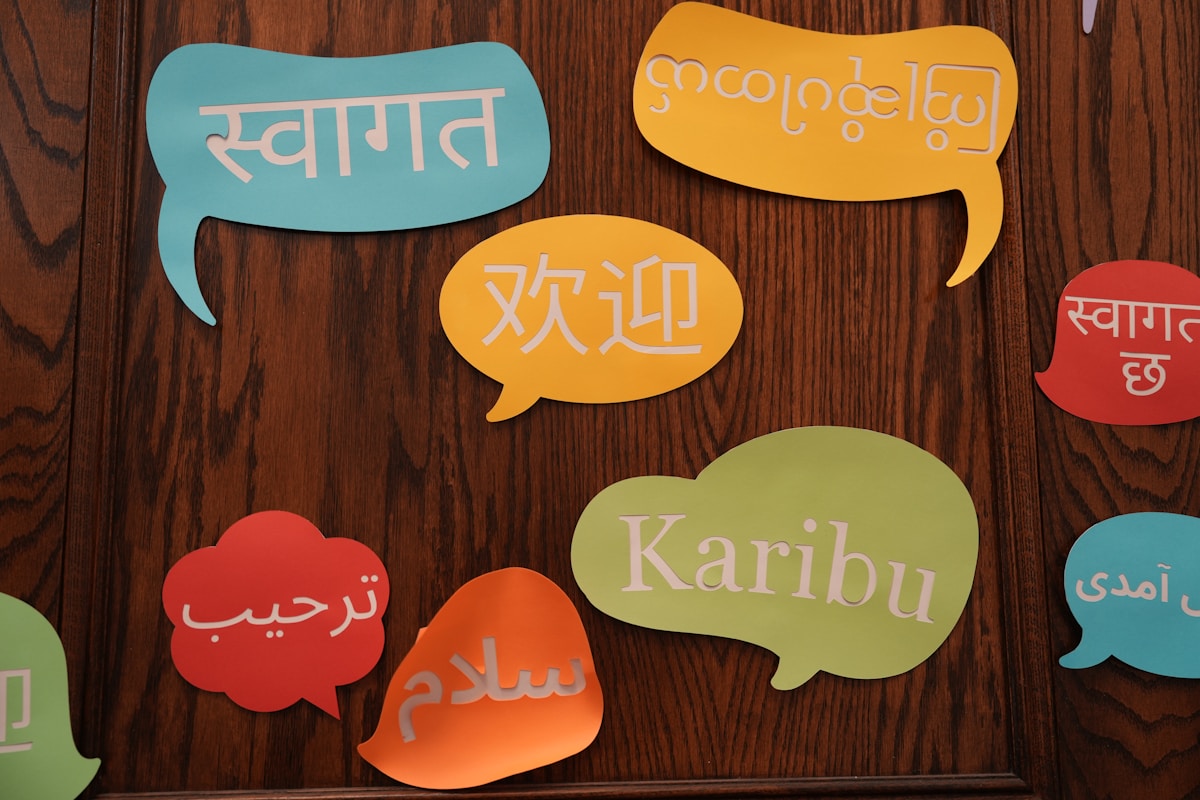
5. Wordvice AI | Wordvice AI 翻譯與校正
Wordvice AI specializes in academic and professional English (學術與專業英文). Its translation + proofreading combo (翻譯加校對) is especially useful for researchers submitting papers to international journals (國際期刊). After translating your Chinese manuscript (中文稿件) into English, the AI proofreading tool checks grammar, word choice, and academic conventions. Many graduate students in Taiwan (台灣研究生) use Wordvice to prepare English abstracts (英文摘要) and conference papers.
- Best for (最適合): Academic writing (學術寫作), research papers, thesis abstracts
- Price (價格): Free tier 免費方案 / Premium plans available
6. Termsoup | Termsoup 翻譯工具
Built by a Taiwanese team (台灣團隊), Termsoup is a professional CAT tool (電腦輔助翻譯工具) designed for freelance translators (自由譯者). It displays source text alongside your translation, auto-suggests terminology (自動建議術語), and builds a translation memory (翻譯記憶庫) that learns from your previous work. Professional translators in Taiwan swear by it for book translation (書籍翻譯), subtitle work (字幕翻譯), and long-form documents.
- Best for (最適合): Professional translators (專業翻譯人員), long documents, subtitling
- Price (價格): Free trial 免費試用 / Plans from NT$300/mo
7. QuillBot Translate
QuillBot Translate is ad-free and integrates with its grammar checker (文法檢查器) and paraphrasing tools (改寫工具). After translating Chinese text to English (中翻英), you can immediately run the English output through QuillBot’s Grammar Checker and Paraphraser to polish the result. This two-step workflow — translate then polish (翻譯後潤稿) — often produces cleaner English than any single tool alone.
- Best for (最適合): Students (學生), quick translations with grammar polish
- Price (價格): Free 免費 / Premium US$9.95/mo

Step-by-Step English Translation Process | 英文翻譯流程五步驟
Getting a good translation (好的翻譯) involves more than pasting text into a tool and copying the output. Follow this 5-step process for consistently accurate results:
Step 1: Read the Source Text Completely | 完整閱讀原文
Before translating a single word, read the entire source text (原文). Identify the purpose — is it for business (商業用途), academic use (學術用途), or daily communication (日常溝通)? Note the intended audience and any technical terms (專業術語) that need special attention. Skipping this step is the number-one reason for poor translations.
Step 2: Choose the Right Tool for the Task | 選擇合適的翻譯工具
Match your tool (翻譯工具) to the content type. Quick email? Google 翻譯 is fine. Business proposal (商業提案)? Use DeepL or ChatGPT with a detailed prompt. Academic paper (學術論文)? Try Wordvice AI. Legal contract (法律合約)? Hire a professional translator and use the tool only as a first draft (初稿).
Step 3: Translate in Chunks, Not All at Once | 分段翻譯
Long documents should be translated paragraph by paragraph (逐段翻譯). This gives AI tools better context for each section and makes errors easier to catch. For Chinese-to-English (中翻英) work, pay particular attention to sections where the original uses four-character idioms (四字成語) or culturally specific references — these rarely translate well without human adjustment.
Step 4: Post-Edit and Proofread | 翻譯後編輯與校對
Every machine translation (機器翻譯) needs human review. Check for:
- Unnatural word order (不自然的語序) — a common issue in Chinese-to-English translation
- Missing articles (“a,” “an,” “the”) — Chinese (中文) has no articles, so tools often drop them
- Wrong register (語域錯誤) — is the tone too casual or too formal for the context?
- Hallucinated content (虛構內容) — did the AI add information not in the original?
- Numbers, dates, and proper nouns (數字、日期、專有名詞) — verify these manually
Step 5: Back-Translate to Verify | 回譯檢查
Take your English output and translate it back into Chinese (回譯成中文) using a different tool. Compare this back-translation (回譯) with the original Chinese text. If the meaning shifted significantly, revise your English version. This technique catches subtle errors that proofreading alone misses.

When to Use Machine Translation vs. Professional Translators | 機器翻譯 vs 專業翻譯
Knowing when machine translation (機器翻譯) is “good enough” and when you need a professional human translator (專業人工翻譯) saves both time and money (省時省錢):
| Scenario (情境) | Recommended Approach (建議做法) |
|---|---|
| Internal emails 內部郵件, Slack messages | Machine translation 機器翻譯 (Google/DeepL) |
| Blog posts 部落格文章, social media 社群媒體 | AI translation AI翻譯 + human editing 人工編輯 |
| Business proposals 商業提案, client-facing docs | AI first draft 初稿 + professional editor 專業編輯 |
| Legal contracts 法律合約, patents 專利 | Professional human translator 專業人工翻譯 |
| Medical documents 醫療文件 | Certified translator 認證翻譯師 |
| Marketing copy 行銷文案, brand slogans | Transcreation 創譯 by human copywriter |
For most Taiwanese professionals (台灣專業人士), the sweet spot is using AI translation tools (AI翻譯工具) for the first draft and then editing the output yourself — or hiring a proofreader (校對人員) for high-stakes documents.
Translation Tool Settings That Improve Accuracy | 提高翻譯準確度的設定技巧
Most people use translation tools (翻譯工具) with default settings and miss features that dramatically improve output quality (翻譯品質):
- DeepL Glossary 術語庫: Add your company’s specific terms — e.g., 專案經理 = Project Manager, not “project host” — to ensure consistent translation (一致性翻譯) across all documents
- ChatGPT System Prompts 系統提示: Start conversations with: “You are a professional Chinese-to-English translator. Translate the following text using formal business English. Preserve the original meaning exactly.”
- Google Translate Saved Translations 已儲存的翻譯: Star important translations to build a personal reference library (個人參考資料庫)
- Immersive Translate Engine Selection 翻譯引擎選擇: Switch between DeepL, Google, and OpenAI depending on the content type — DeepL for news articles (新聞文章), OpenAI for conversational content (對話內容)
Recommended Translation Tutorial | 翻譯教學影片推薦
This video walks through practical translation techniques (翻譯技巧) that work alongside any tool:
Free vs. Paid Translation Tools: Is Premium Worth It? | 免費 vs 付費翻譯工具
Free tiers (免費方案) of Google 翻譯 and DeepL handle most casual translation needs. But if you translate regularly for work (工作翻譯需求), paid plans offer meaningful advantages:
- Higher character limits 更高字數上限 — DeepL free caps at 5,000 characters per translation; Pro removes this limit
- Document translation with formatting 保留格式的文件翻譯 — upload a Word file and get back a translated Word file with layout intact
- Custom glossaries and translation memory 自訂術語庫與翻譯記憶 — essential for maintaining consistency (一致性) in corporate communications
- Data privacy 資料隱私 — free tiers may use your text to train models; paid plans typically do not
For students (學生), free tools (免費工具) are usually sufficient. For professionals handling confidential documents (商業機密文件), a paid plan with data privacy guarantees (資料隱私保障) is worth the investment.
Building a Personal Translation Workflow | 建立個人翻譯工作流程
The most efficient translators — whether professional (專業) or casual — develop a repeatable workflow (工作流程). Here is a practical setup used by many translators in Taiwan (台灣譯者):
- Install Immersive Translate 安裝沉浸式翻譯 for daily English reading with bilingual display (雙語對照顯示)
- Bookmark DeepL as your primary translation tool for documents (文件翻譯主力工具)
- Keep ChatGPT open for context-heavy translations (需要上下文的翻譯) and rephrasing
- Use Google Translate’s camera feature 使用 Google 翻譯的相機功能 on your phone for real-world signs and menus
- Maintain a personal glossary 維護個人術語表 in a spreadsheet — add terms you look up repeatedly
This multi-tool approach (多工具策略) covers all translation scenarios (翻譯場景) you will encounter, from reading English news (閱讀英文新聞) at breakfast to preparing a bilingual presentation (雙語簡報) for work.
Sources
Related: Looking to improve your translation accuracy? Check out our guide to English translation tips and common mistakes (英文翻譯技巧與常見錯誤) for the most frequent errors Taiwanese speakers make. You can also review common English grammar mistakes to avoid errors in your translated output.
Looking for free ESL worksheets for your classroom? Browse our free worksheet library →
Are you a teacher? Find lesson resources and worksheets at TahricTeaches.com.



 English
  繁體中文
繁體中文  日本語
日本語  한국어
한국어  ไทย
ไทย  Bahasa Indonesia
  Tiếng Việt
  Français