
Professional Email Format: 5 Steps to Write Better | 英文信件格式

Knowing the correct professional email format can make or break your career opportunities. Whether you’re applying for jobs, reaching out to clients, or coordinating with colleagues overseas, a well-structured English email shows competence and respect. For Taiwanese professionals (台灣職場人士) who regularly write emails in English, mastering email format eliminates guesswork and builds confidence.
This guide breaks down every component of a professional email format — from subject lines to sign-offs — with real examples you can adapt today. By the end, you’ll have a clear template for any business situation.
5 Essential Parts of a Professional Email Format (英文信件格式的5大要素)
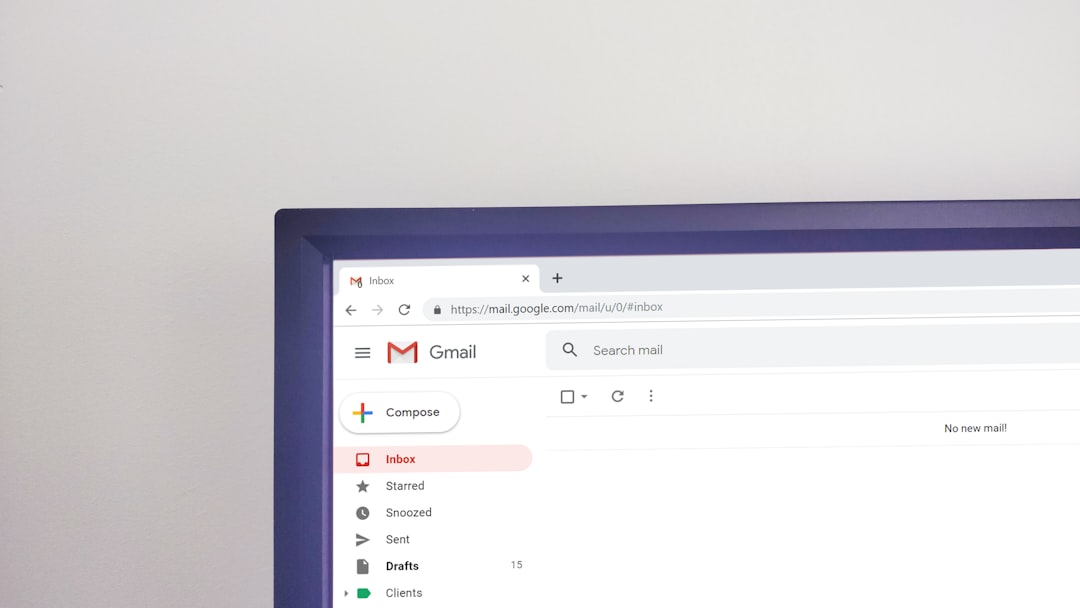
Every professional email follows the same basic structure. Skip a section and your message may come across as incomplete or unprofessional. Here are the five parts that form the backbone of proper email structure:
- Subject line — A brief, specific summary of your email’s purpose
- Greeting / Salutation — How you address the recipient
- Body — Your main message, organized in short paragraphs
- Closing — A professional sign-off phrase
- Signature block — Your name, title, and contact details
Missing any of these elements is like showing up to a meeting without an agenda — people notice. Let’s dig into each one.
How to Write a Strong Email Subject Line

Your subject line is the gatekeeper. Busy professionals scan inboxes and decide what to open based on the subject alone. A vague subject line like “Hello” or “Question” gets ignored — or worse, flagged as spam.
Subject Line Best Practices
- Be specific: “Q3 Budget Review — Action Needed by March 28” beats “Budget”
- Keep it under 50 characters so it displays fully on mobile devices
- Lead with the action: Use words like “Request,” “Update,” “Invitation,” or “Follow-Up”
- Avoid ALL CAPS or excessive punctuation — these trigger spam filters
Subject Line Examples for Common Situations
| Situation | Weak Subject | Strong Subject |
|---|---|---|
| Meeting request | Meeting | Meeting Request: Project Kickoff — April 2 |
| Job application | Resume | Application: Marketing Manager — Jane Chen |
| Follow-up (跟進信件) | Following up | Follow-Up: Proposal Feedback — Due Friday |
| Thank you | Thanks | Thank You for the Interview — Next Steps? |
| Information request | Question | Question: Shipping Timeline for Order #4521 |
Professional Email Greetings That Work (英文Email開頭)
The greeting sets the tone. Choose wrong and you risk sounding too casual, too stiff, or culturally tone-deaf. Here’s a quick breakdown by formality level:
Formal Greetings
- Dear Mr./Ms. [Last Name], — Standard for first-time contacts, clients, and senior leadership
- Dear Dr./Professor [Last Name], — Academic or medical contexts
- Dear Hiring Manager, — When you don’t know the recipient’s name
- To Whom It May Concern, — Last resort; try to find a name first
Semi-Formal Greetings
- Hello [First Name], — Safe for colleagues you’ve emailed before
- Good morning/afternoon, — Warm but professional
- Hi [First Name], — Common in tech, startups, and creative industries
Pro tip: When emailing someone in a Western company for the first time, mirror their greeting style in the reply. If they write “Hi David,” you can safely reply with “Hi Sarah.” Taiwanese professionals (台灣的職場人士) sometimes default to overly formal greetings when a relaxed tone would fit better.

Structuring the Email Body for Clarity
The body is where most people struggle. Long, rambling paragraphs filled with unnecessary context will lose your reader. The golden rule: one email, one purpose.
The 3-Part Body Structure
Paragraph 1 — Context: State why you’re writing in 1-2 sentences. Reference any previous conversation or shared context.
“I’m writing to follow up on our phone call last Tuesday regarding the vendor contract renewal.”
Paragraph 2 — Details: Provide the necessary information. Use bullet points for multiple items. Keep sentences under 20 words when possible.
“I’ve attached the revised contract with the following changes:
• Extended payment terms from 30 to 45 days
• Updated delivery schedule per your request
• Added the warranty clause we discussed”
Paragraph 3 — Call to Action: Tell the reader exactly what you need and when. Be specific about deadlines.
“Could you review the attached document and send your approval by this Friday, March 28? Let me know if you have any questions.”
Body Writing Tips
- Front-load the important stuff — Don’t bury your request at the bottom
- Use white space — Break up text with short paragraphs and lists
- Avoid jargon unless the recipient shares your technical background
- Read it aloud before hitting send — if you stumble, rewrite

Professional Email Sign-Offs and Closings (英文信件結尾格式)
Your closing phrase and signature are the last impression. The wrong sign-off can undermine an otherwise excellent email. Here’s what works — and what doesn’t.
Formal Closings
- Best regards, — The universal safe choice; works everywhere
- Kind regards, — Slightly warmer than “Best regards”
- Sincerely, — Traditional and appropriate for official correspondence
- Respectfully, — When writing to someone senior or in government
Semi-Formal Closings
- Thanks, — Quick and natural for everyday emails
- Thank you, — Slightly more polished than “Thanks”
- Looking forward to hearing from you, — Good for follow-ups
- All the best, — Friendly but professional
Closings to Avoid
- Cheers — Too casual for most business contexts (fine among close colleagues in the UK/Australia)
- XOXO / Love — Never appropriate in professional email
- Sent from my iPhone — Remove this default; it looks lazy
- Thx — Abbreviations signal you didn’t care enough to type four more letters
Email Signature Block Format

A complete professional email signature tells the recipient who you are without them having to look you up. Keep it clean — no inspirational quotes, no rainbow fonts, no oversized logos.
Recommended Signature Format
Jane Chen | Marketing Manager
Taipei Innovation Corp.
+886-2-2345-6789 | jane.chen@company.com
linkedin.com/in/janechen
Include your full name, job title, company name, phone number, email, and one social/professional link. That’s enough. For bilingual professionals in Taiwan (台灣雙語工作者), you may add your Chinese name in parentheses: “Jane Chen (陳雅婷).”
Complete Professional Email Format Example
Let’s put everything together. Here’s a full email following proper professional email format:
Subject: Proposal Review — Feedback Requested by April 4

Dear Ms. Williams,

I hope this message finds you well. I'm writing regarding
the marketing proposal we discussed during last week's
conference call.

I've attached the revised proposal with the updates your
team requested:
• Adjusted the Q2 budget projections
• Added the social media campaign timeline
• Included case studies from similar projects

Could you review the document and share your feedback by
Friday, April 4? If you'd like to schedule a call to discuss
any changes, I'm available Tuesday or Thursday afternoon.

Thank you for your time.

Best regards,
David Lin (林大衛)
Senior Account Manager
Global Solutions Ltd.
+886-912-345-678 | david.lin@globalsolutions.com
Notice how each section serves a clear purpose. The subject line is specific. The greeting matches the relationship. The body follows the context-details-action structure. The sign-off is professional. And the signature provides everything the recipient needs to respond.
7 Common Email Format Mistakes to Avoid
- Replying All unnecessarily — Only use Reply All when everyone genuinely needs the information
- Forgetting attachments — If you mention “attached,” double-check before sending. Many email clients now prompt you, but don’t rely on it
- Writing essays — If your email needs more than 300 words, consider whether a meeting or phone call would work better
- Using humor or sarcasm — Tone doesn’t translate well in text, especially across cultures. What sounds playful in Mandarin (中文) might confuse an English reader
- Sending without proofreading — Typos in names, company names, or key details destroy credibility instantly
- CC’ing someone’s boss to pressure them — This tactic burns bridges. Address issues directly first
- Mixing personal and professional tone — Save the emoji and exclamation marks for personal messages
Professional Email Format Video Guide
Quick Reference: Professional Email Format Checklist

Before you hit send on any professional email, run through this checklist:
- ☐ Subject line is specific, under 50 characters, and includes an action word
- ☐ Greeting matches the level of formality appropriate for the recipient
- ☐ First paragraph clearly states why you’re writing
- ☐ Body uses short paragraphs and bullet points for readability
- ☐ Call to action is specific with a clear deadline
- ☐ Closing phrase is professional (not “Cheers” or “Thx”)
- ☐ Signature includes name, title, company, and contact info
- ☐ Attachments are actually attached
- ☐ You’ve proofread for typos, especially in names and dates
- ☐ Tone is appropriate — not too formal, not too casual
When to Use Formal vs. Casual Email Format
Knowing which level of formality to use saves you from overthinking every email. Here’s a simple decision framework:
| Use Formal Format When… | Use Casual Format When… |
|---|---|
| Writing to someone for the first time | Emailing a colleague you talk to daily |
| Contacting clients or external partners | Quick internal team updates |
| Applying for jobs or internships | Replying within an ongoing email thread |
| Addressing senior leadership | Scheduling lunch with a coworker |
| Handling complaints or sensitive topics | Sharing non-critical information |
For professionals in Taiwan working with international teams (跨國團隊), a good default is semi-formal. You can always adjust after seeing how the other person writes.
Frequently Asked Questions About Email Format
What is the standard format for a professional email?
The standard professional email format includes five elements: a clear subject line, appropriate greeting, structured body (context → details → call to action), professional closing, and a complete signature block with your name, title, and contact information.
How do I start a formal email in English?
Start with “Dear Mr./Ms. [Last Name],” for formal emails. If you don’t know the person’s name, use “Dear Hiring Manager,” or “Dear [Department] Team.” Avoid “To Whom It May Concern” unless absolutely necessary.
What’s the best email sign-off for business?
“Best regards” is the safest universal choice for business email (商業英文信件). “Kind regards” works well too. Use “Sincerely” for very formal correspondence such as cover letters or official requests.
How long should a professional email be?
Keep professional emails between 50-200 words. If your message exceeds 300 words, consider whether the information would be better shared in a meeting, a phone call, or an attached document.
Related Resources
Looking to strengthen your professional English beyond email? Check out these guides:
- Business English Email Phrases: 7 Must-Know Tips | 英文Email範例 — Essential phrases for every email situation
- 10 Essential English Phrases for Taiwanese Learners — Build your everyday English vocabulary





 English
  繁體中文
繁體中文  日本語
日本語  한국어
한국어  ไทย
ไทย  Bahasa Indonesia
  Tiếng Việt
  Français